Tek başına çalışan Türk e-ticaret satıcıları ve dropshipper'lar; Trendyol ve Hepsiburada'da satış yapıp sipariş ve kargo durumlarını tek yerden izlemek isteyenler.
How it works
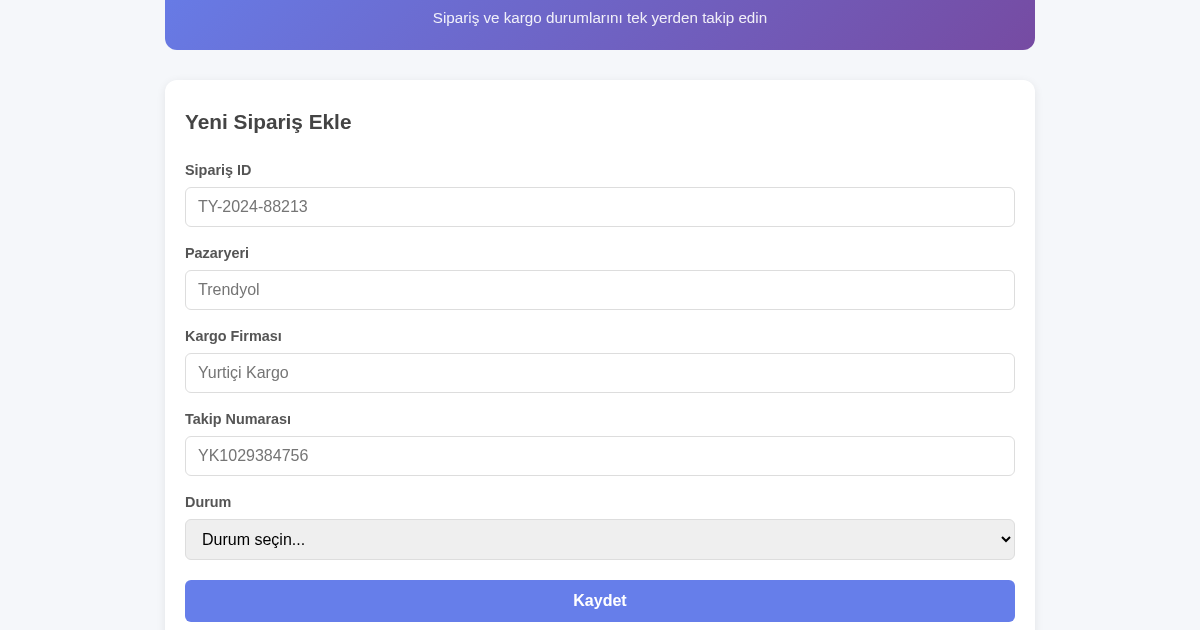
- Kullanıcı, sipariş numarası, pazaryeri, kargo firması, takip numarası ve durumu form alanlarına yapıştırır ve Kaydet butonuna tıklar.
- Sunucu, girdiyi lowdb JSON dosyasına kalıcı olarak kaydeder.
- Kaydedilen sipariş, formun altındaki listede JSON dosyasından okunarak görüntülenir.
- Kullanıcı mevcut bir siparişe tıklayıp durumunu düzenleyebilir ve yeniden kaydederek kaydı güncelleyebilir.
What you gain
- Tüm sipariş ve kargo durumları tek listede
- Panel panel dolaşmaya gerek kalmaz
- Arama ve filtreleme ile hızlı erişim
- Durum güncelleme tek tıklamayla
- Kalıcı kayıt, veri kaybı olmaz
- Basit ve sade kullanıcı arayüzü
Screenshot
Technical details
How to set up & use
- Buy the license — your key (lic_...) appears on the order page and in your email.
- Sign in at app.synoriaai.com with your license key.
- No installation — the product runs in your browser, on your own isolated instance.
- 1. Ana sayfada 'Yeni Sipariş Ekle' formunu açın.
- 2. Sipariş numarası, pazaryeri, kargo firması ve takip numarasını girin.
- 3. Durumu seçin (ör. Kargoya Verildi) ve 'Kaydet' butonuna tıklayın.
- 4. Kaydedilen siparişi listede görün; arama veya filtreleme ile bulun.
- 5. Durumu güncellemek için listede ilgili siparişin yanındaki güncelleme butonunu kullanın.
Frequently asked questions
Sipariş ve kargo bilgilerim güvende mi?
Evet, verileriniz yalnızca cihazınızda saklanır; hiçbir sunucuya gönderilmez veya üçüncü taraflarla paylaşılmaz.
Bu uygulama kargo durumunu otomatik olarak günceller mi?
Hayır, otomatik güncelleme yapmaz. Durumu manuel olarak güncellemeniz gerekir; uygulama yalnızca kayıtlarınızı düzenli tutar.
Hangi pazaryerlerini destekliyor?
Trendyol ve Hepsiburada için tasarlanmıştır; ancak kargo takip numarası olan her siparişi kaydedebilirsiniz.
Related products
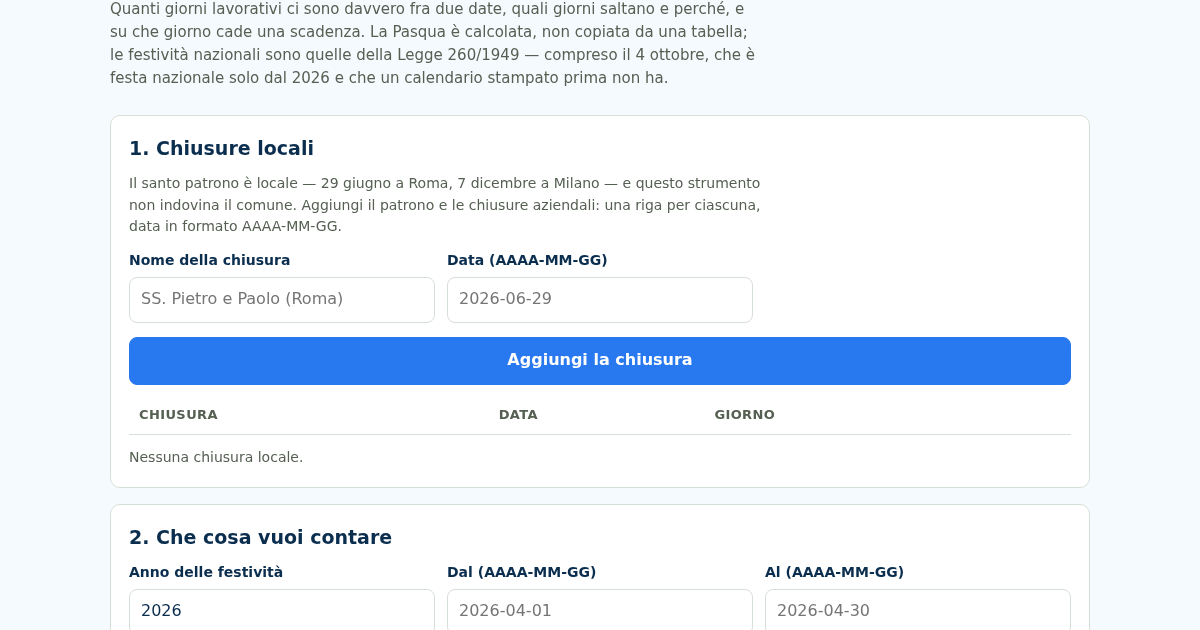
Giorni Utili: Giorni Lavorativi e Festività Italiane
Dal 2026 il 4 ottobre è festa nazionale — la Legge 8 ottobre 2025, n. 151 l'ha aggiunto all'elenco dell'articolo 2 della Legge 260/1949 — e un calendario stampato prima non ce l'ha. Nello stesso 2026 cinque delle dodici…
Giorni Utili: Giorni Lavorativi e Festività Italiane
Dal 2026 il 4 ottobre è festa nazionale — la Legge 8 ottobre 2025, n. 151 l'ha aggiunto all'elenco dell'articolo 2 della Legge 260/1949 — e un calendario stampato prima non ce l'ha. Nello stesso 2026 cinque delle dodici…
Giorni Utili: Giorni Lavorativi e Festività Italiane
Dal 2026 il 4 ottobre è festa nazionale — la Legge 8 ottobre 2025, n. 151 l'ha aggiunto all'elenco dell'articolo 2 della Legge 260/1949 — e un calendario stampato prima non ce l'ha. Nello stesso 2026 cinque delle dodici…
Giorni Utili: Giorni Lavorativi e Festività Italiane
Dal 2026 il 4 ottobre è festa nazionale — la Legge 8 ottobre 2025, n. 151 l'ha aggiunto all'elenco dell'articolo 2 della Legge 260/1949 — e un calendario stampato prima non ce l'ha. Nello stesso 2026 cinque delle dodici…